
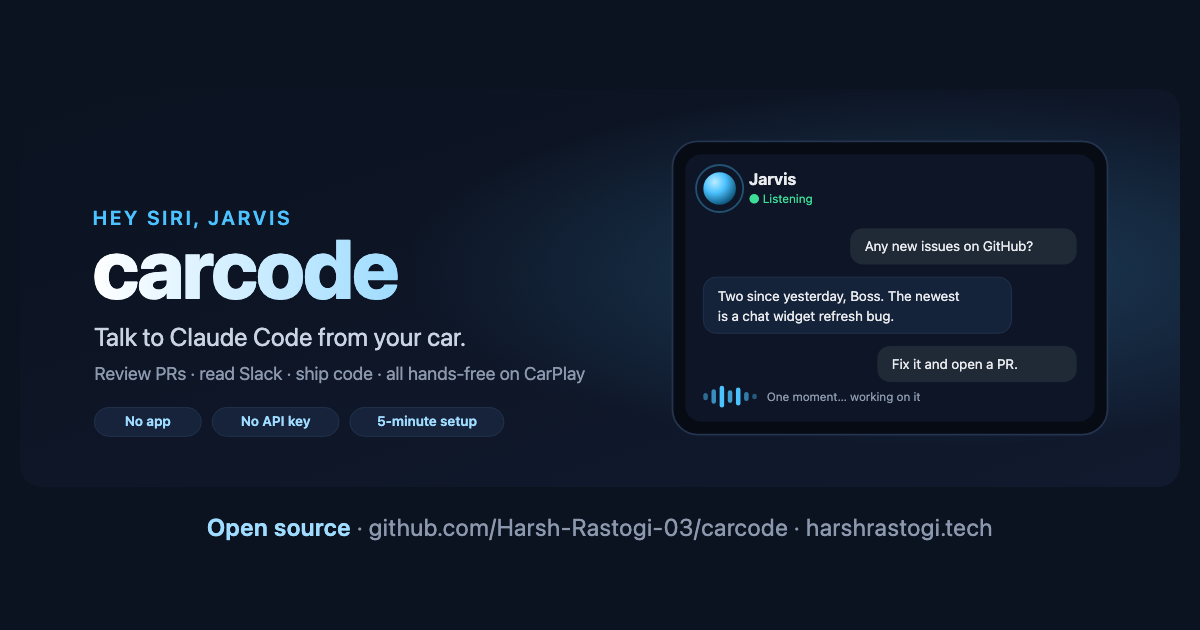
TL;DR: I built carcode, an open-source way to code from your car. I say "Hey Siri, Jarvis", ask for a pull request review or a code change, and Claude Code does the work on my Mac while Apple CarPlay reads the answer out loud. There's no app to install and no API key. It's a Siri Shortcut, a small Python server and a free Cloudflare tunnel. This post covers how it works, the problems I hit on real drives, and how to set it up in about five minutes.
Why I Wanted to Code From My Car
My commute is dead time. I'm not going to write code at a red light, but a surprising amount of engineering work is just talking: "Any PRs waiting on me?", "Is CI green on the website repo?", "Summarize PR forty-two", "Tell the team I'll be ten minutes late."
Claude Code can already do all of that from a terminal, using gh, git and connectors like Slack and Gmail. What was missing was a hands-free voice interface that works in the car. So I built one.
Here's what a real drive sounds like:
Me      Hey Siri, Jarvis
Jarvis  Hello Boss, I am ready for work.
Me      Any new issues assigned to me on GitHub?
Jarvis  Two since yesterday. The newest is a chat widget refresh bug.
Me      Fix it and open a draft PR.
Jarvis  One moment...
Jarvis  Opened draft PR fifty-one on the website repo.
Me      Bye.
How carcode Works
There are four pieces, and each solves exactly one problem.
| Piece | Job |
|---|---|
| **Siri Shortcut** | Listens, sends your words to your Mac, speaks the answer, then listens again until you say "bye" |
| **Cloudflare quick tunnel** | Gives your Mac a free public HTTPS address so your phone can reach it over mobile data |
| **carcode server** | A small FastAPI app that keeps Claude Code warm, holds slow answers and cleans replies for speech |
| **Claude Code** | Your normal CLI login, working in your repos with git, the GitHub CLI and your connectors |
A single request travels like this:
"Any PRs waiting on me?"
  -> iPhone dictation turns speech into text
  -> HTTPS to your-tunnel.trycloudflare.com
  -> tunnel -> your Mac -> carcode server (token check)
  -> warm Claude Code session runs `gh pr list`
  -> "Two. The metering one has green CI."
  -> back through the tunnel, Siri speaks it, shortcut listens again
The Hard Parts (and How I Fixed Them)
The first version worked at my desk and fell apart in the car. These are the problems that actually mattered.
1. Cold starts made every answer slow
Starting claude -p fresh for each turn took 6 to 10 seconds before any real work happened. The fix was to keep one long-lived Claude Code process per device, using --input-format stream-json --output-format stream-json, and feed each utterance into it. Simple questions now come back in about 2 to 5 seconds, and the session remembers the conversation, so "merge it" knows what it is.
2. Siri gives up on slow answers
When a Slack lookup took 14 seconds, the phone stopped waiting and I heard nothing. Now every reply returns within 8 seconds. If Claude needs longer, the server answers "One moment" with a pending flag, and the shortcut quietly asks again until the result is ready. A 15-second web search now plays as "One moment", then the answer.
3. Dictation cuts you off mid-sentence
iOS stops listening at the first pause, so "Can you check..." would arrive alone. carcode detects sentences that look unfinished, replies "Go on", and joins the pieces before sending them to Claude. Setting Settings → Accessibility → Siri → Siri Pause Time → Longest on the iPhone helps too.
4. Answers were silent
With Siri's responses set to Automatic, a phone on silent stays silent. The fix is Settings → Siri → Siri Responses → Prefer Spoken Responses. CarPlay usually speaks anyway, but this saves a confusing first test.
5. Safety while driving
Anything that touches other people needs a spoken read-back and a clear "confirm": sending a message, merging or approving a PR, deleting anything. Code changes always land on a carcode/... branch as a draft PR, never on main. Text inside PRs, emails and Slack is treated as data, not instructions, which blunts prompt injection.
Set It Up in Five Minutes
You need a Mac that stays on, Claude Code installed and logged in, an iPhone on the same iCloud account, and two Homebrew tools.
brew install uv cloudflared
git clone https://github.com/Harsh-Rastogi-03/carcode.git && cd carcode
./carcode setup        # checks requirements, creates your token and .env
./carcode install      # runs in the background, starts at login
./carcode shortcut     # builds and signs the Siri Shortcut, then opens it
Click Add Shortcut, give iCloud a minute to sync it to your phone, and say "Hey Siri, Jarvis." You can rename the assistant, its greeting, the dictation language and what it calls you in .env.
What It Can't Do (Yet)
- ›It needs a computer that stays on. Claude Code runs on your Mac with your repos and logins, so serverless platforms and the phone itself are out.
- ›CarPlay's screen stays empty. Apple only allows approved app types there. carcode is voice-only in the car, with a live conversation dashboard on your phone.
- ›The free tunnel URL changes when it restarts.
./carcode shortcutrebuilds the shortcut. A named Cloudflare tunnel or Tailscale Funnel gives you a permanent address.
Try It
carcode is MIT licensed and on GitHub: github.com/Harsh-Rastogi-03/carcode. The project page has the full feature list. If you build something on top of it, or find a better way to use the drive, I'd love to hear about it.
---
Harsh Rastogi is an AI Product Engineer building generative-AI products and multi-agent systems. He writes about AI systems, developer tooling and production engineering at harshrastogi.tech.
Frequently Asked Questions
How can I code from my car?
With carcode you can code from your car by voice. Say "Hey Siri, Jarvis", ask for a pull request review or a code change, and Claude Code does the work on your Mac while Apple CarPlay reads the answer aloud. Code changes land as draft pull requests you review later.
Does Claude Code work with Apple CarPlay?
Not on its own. carcode connects them: a Siri Shortcut sends your dictated words to a small server on your Mac that runs Claude Code, and the reply is spoken back through CarPlay. There is no app to install.
Do I need an Anthropic API key for carcode?
No. carcode uses the Claude Code CLI you are already logged into, so usage counts against that account.
Is it safe to use carcode while driving?
It is built to be hands-free: one phrase to start, short spoken answers and no screen. Messages, merges, approvals and deletions need a spoken "confirm". Always follow local laws and keep your eyes on the road.
Why does carcode need a Mac?
Claude Code runs on a computer with your repos, git and logins, and carcode keeps it warm between turns for fast answers. That needs a machine that stays on, so it runs on your Mac rather than on the phone or a serverless platform.
Written by Harsh Rastogi — AI Product Engineer leading AI product direction at Modelia. Connect with me on LinkedIn for more on Shopify, Generative AI, agentic systems, and production engineering.